
04 · Budget · Revenues
Revenue against target
Stands, sponsorship and ticketing, expected against collected, line by line.
12 / 12Measure
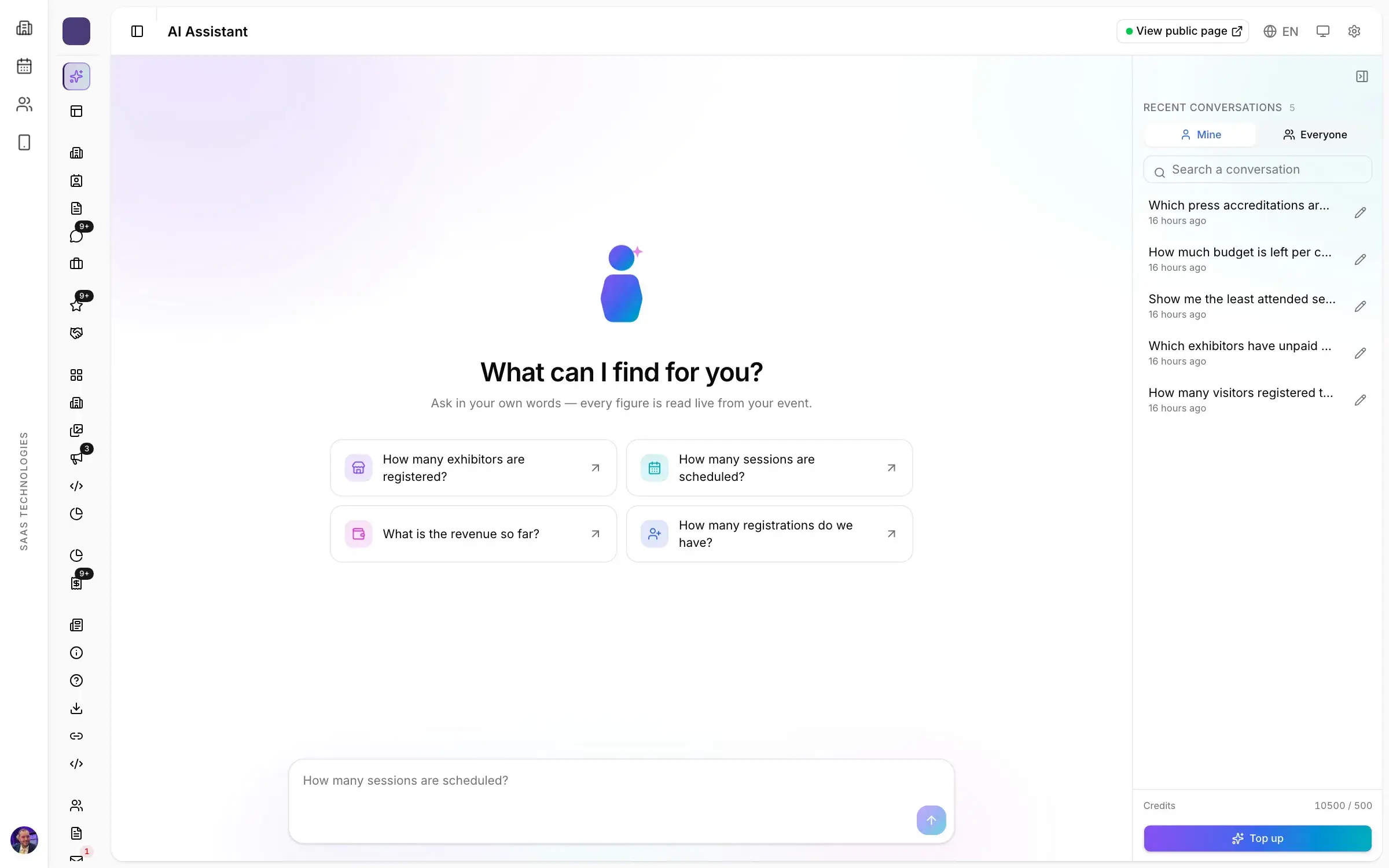
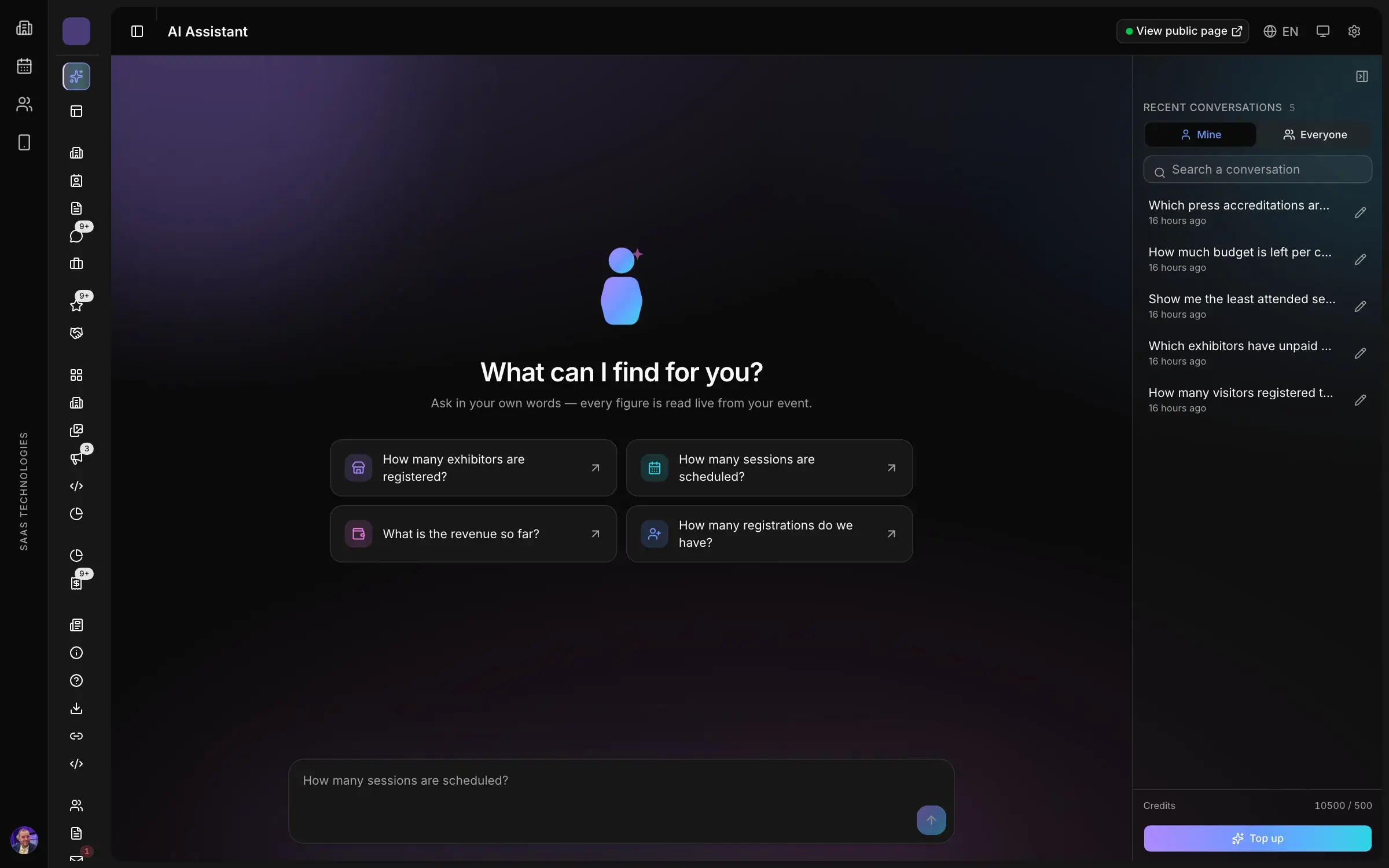
Every module opens on its own live indicators. Budget follows engaged, paid and remaining amounts, and the AI assistant helps you decide: it compares, charts and points you to the screen where you act.

Trusted by trade show organizers







What’s inside
Which exhibitors should we chase first? How does this edition compare with the last one? Where is the budget slipping? The assistant reads your live data with the rights of the person asking, compares periods and editions, draws the chart and opens the screen where you act.
Also in this product
Stands, sponsorship and ticketing, expected against collected, line by line.
Expense and revenue categories that match how your team reports.
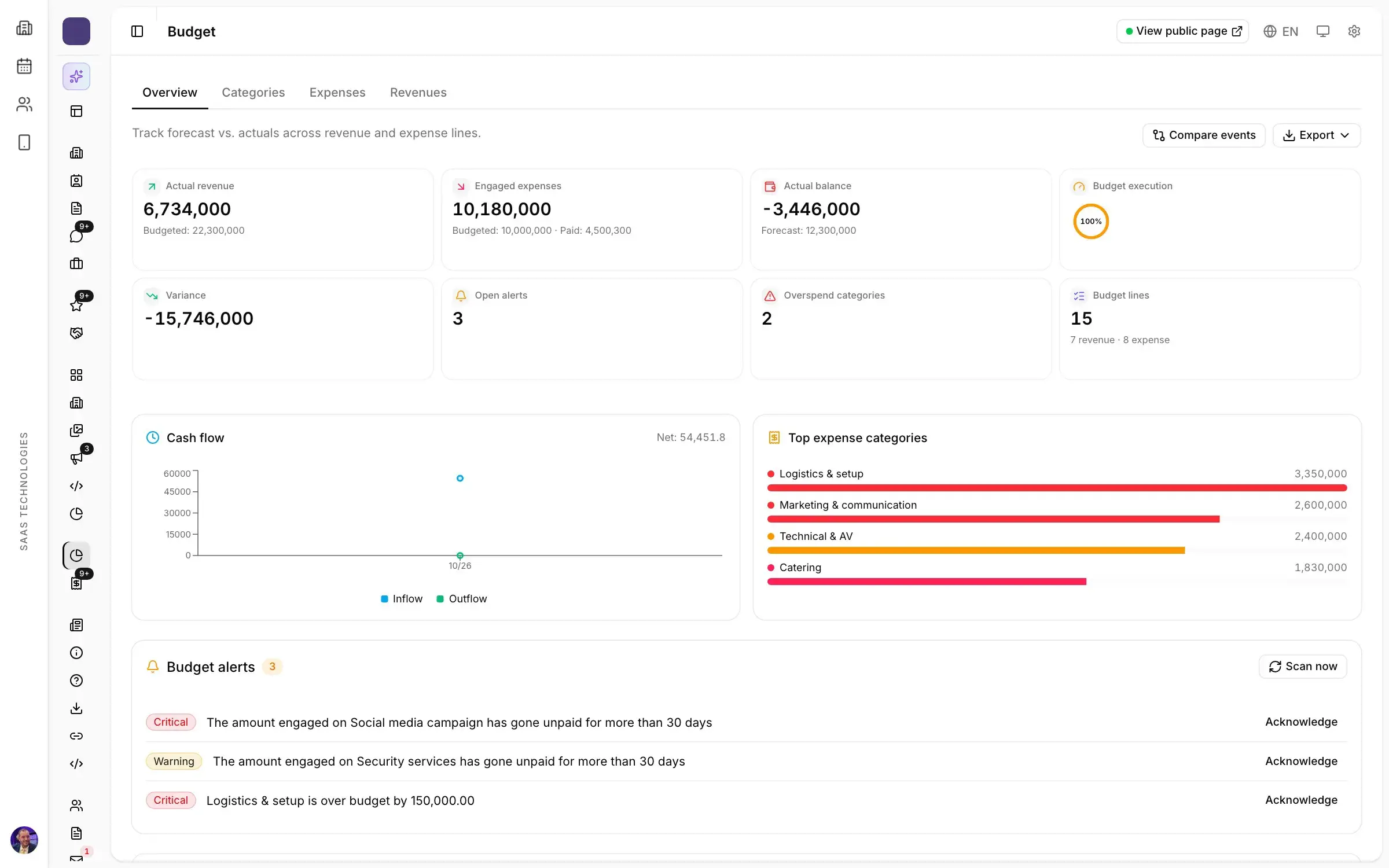
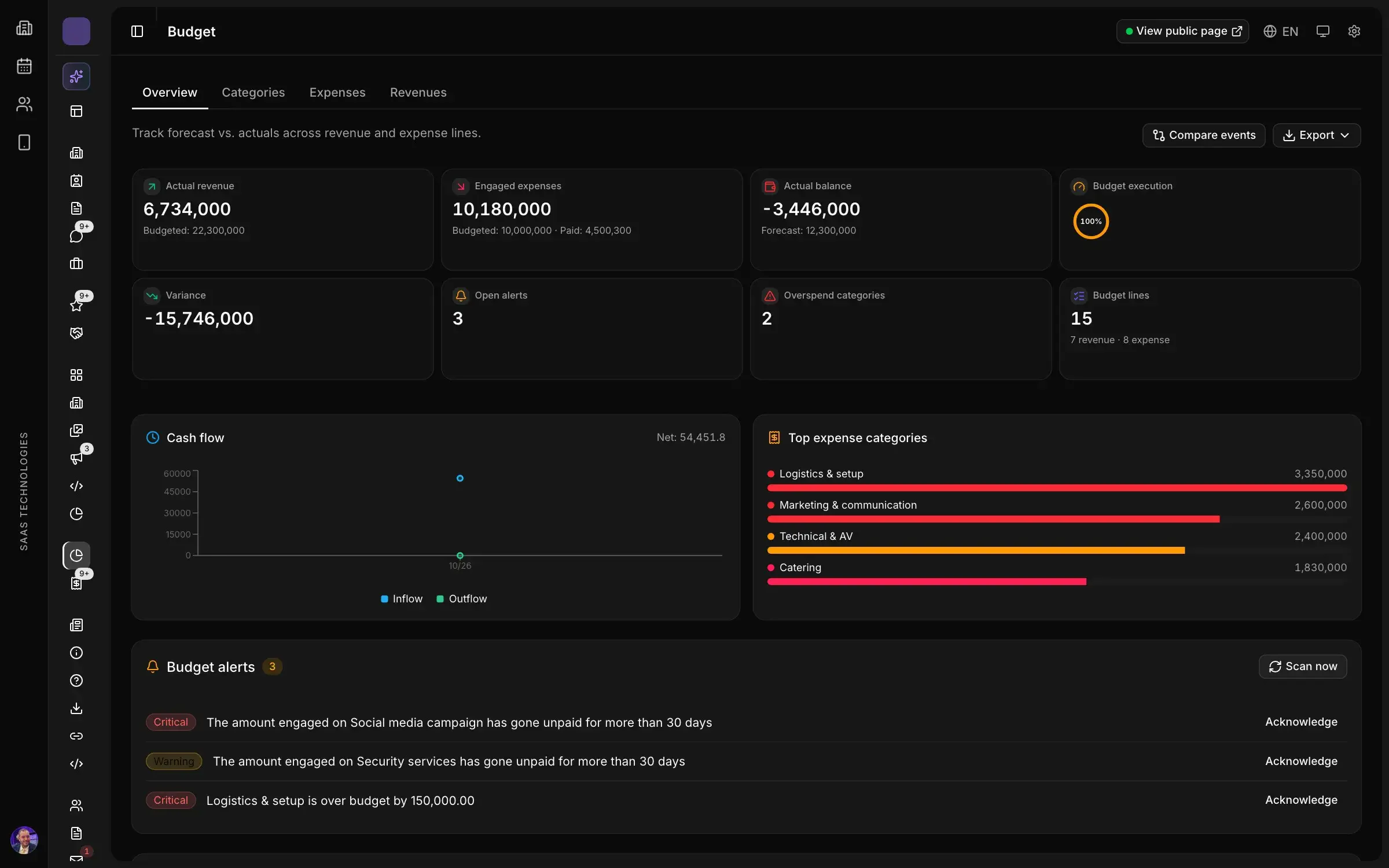
Budgeted, engaged and paid, by category and by supplier, with alerts before a line goes over.
How it works
Totals, trends and breakdowns at the top of every list, from companies to news.
Budgeted, engaged and paid, by category and by supplier, with alerts before a line goes over.
Entries by gate, by profile and by hour, for the post-show report.
Benefits delivered, leads captured and ad impressions, per sponsor.
Catering, AV, marketing and logistics lines with what is engaged, paid and remaining, ready for your accountant.
Every list, order, scan and answer exports to a spreadsheet, with the questions of each form.
FAQ
Every module opens on its own live indicators: totals, trends and breakdowns at the top of every list, from companies to news. Attendance is read by gate, by profile and by hour, and revenue from stands, sponsorship and ticketing shows what was expected against what was collected.
Budgeted, engaged and paid, by category and by supplier, with alerts before a line goes over. Catering, AV, marketing and logistics lines show what is engaged, paid and remaining, in categories that match how your team reports.
Against the last edition: entries by gate, by profile and by hour, revenue against target, attendance per session. The AI assistant reads your live data, compares periods and editions and draws the chart. What goes in the report is in our guide to the post-show report for a trade show.
Each sponsor gets its own report: the benefits delivered, the leads captured and the impressions of its adverts.
Yes. Every list, order, scan and answer exports to a spreadsheet, with the questions of each form, and expense lines are exported in one click, ready for your accountant.
Platform map
Twelve products in one workspace, numbered in the order your show happens.
Personal demo
Thirty minutes on your own case, with a live demonstration of the screens your team would use.