Event sign-in sheet template for conferences and trade shows, then QR code check-in
An event sign-in sheet template, column by column, for conferences and trade shows, and how QR code check-in tracks attendance session by session.
By Moultaka team
An event sign-in sheet is the list attendees sign when they arrive at a conference, a congress or a trade show. It is your proof of who attended and when, and three things depend on it later: certificates of attendance, the figures in your post-event report, and who gets which follow-up email. Below is an event sign-in sheet template you can copy, column by column, with the decision to make before the first morning: one sheet per day, per half-day or per session. Then what changes when attendance is tracked by scanning a QR code on the badge instead of collecting signatures.
What a conference sign-in sheet is really for
It looks like a reception-desk formality. In practice it answers four questions, and all of them come weeks after the event:
- Who gets a certificate. A delegate or a speaker who asks for a certificate of attendance must be on the list. Without a record, your team either takes their word for it or says no.
- What you report to partners. A scientific committee, a sponsor or a public funder will ask how many people attended a given panel, not how many registered.
- What goes in the report. The gap between registered and attended, and which sessions filled their room, shape next year’s programme.
- Who receives which email. Attendees get a thank-you; no-shows get a different message. You can only send both if you know who was there.
If your event awards continuing education hours or professional credits, the body that recognises them usually sets its own proof-of-attendance rules. Ask for them before you print anything: they decide the format of the sheet.
An event sign-in sheet template, column by column
Here is the grid, one row per attendee. It fits a landscape A4 or US Letter page, or a spreadsheet if you prepare it on a computer.
Header on every page: the event name, date, venue, room, session or half-day, and “page 1 of 4”, so the sheets can be put back in order afterwards.
| Column | What goes in it | Filled in by |
|---|---|---|
| No. | A row number | Pre-printed |
| Full name | As registered, sorted alphabetically | Pre-printed from the registration list |
| Organisation | Company, university, association | Pre-printed |
| Category | Delegate, speaker, press, guest, staff | Pre-printed |
| Session or half-day | The one this sheet covers | Page header |
| Time of arrival | When they sign | The attendee or the host |
| Signature | Their signature | The attendee |
| Notes | Late, left early, replaced by a colleague | The host |
Three settings make most of the difference:
- Pre-print the names from your registration list. People find their row and sign, which is faster than writing a name, and you can read it afterwards.
- Leave blank rows at the end for walk-ins, and ask for names in capital letters.
- Leave emails and phone numbers off the sheet. A sheet that travels down a queue shows everyone the contact details of the people above them. Under the GDPR and most data protection laws, that is a disclosure you do not want. Contact details stay in your registration file.
One sheet per day, per half-day or per session?
It depends on what you will be asked to prove.
- One sheet per day is enough for a trade show or a one-day conference without detailed certificates. It is the simplest and the least precise: it tells you who arrived in the morning, not who stayed.
- One sheet per half-day is the usual format for training events and congresses that issue certificates: attendees sign in the morning and again after lunch.
- One sheet per session is the only way to know who attended which workshop or panel. It needs a host or a moderator in every room, and a lot of paper.
When in doubt, remember that attendance you did not record cannot be rebuilt later. Choose the level of detail your certificates and your report will need, not the one that is easiest on the first morning.
Where paper sign-in sheets fall short
Paper works, but it has blind spots, and they all show up on the day someone asks for proof:
- The queue at the desk. At 8:30, with forty people waiting, nobody checks that a signature matches the right name.
- Unreadable rows. A name added by hand at the bottom, without an organisation or a category, does not match any registration.
- The forgotten afternoon. The morning sheet stayed at the front desk, and people who arrived for the 2 pm session never signed anything.
- Re-typing. To issue certificates or write the report, someone copies every sheet into a spreadsheet, row by row.
This is why a growing number of conferences and trade shows move to digital event attendance tracking: attendance is recorded the moment a badge is scanned.
Event check-in with a QR code: the digital sign-in sheet
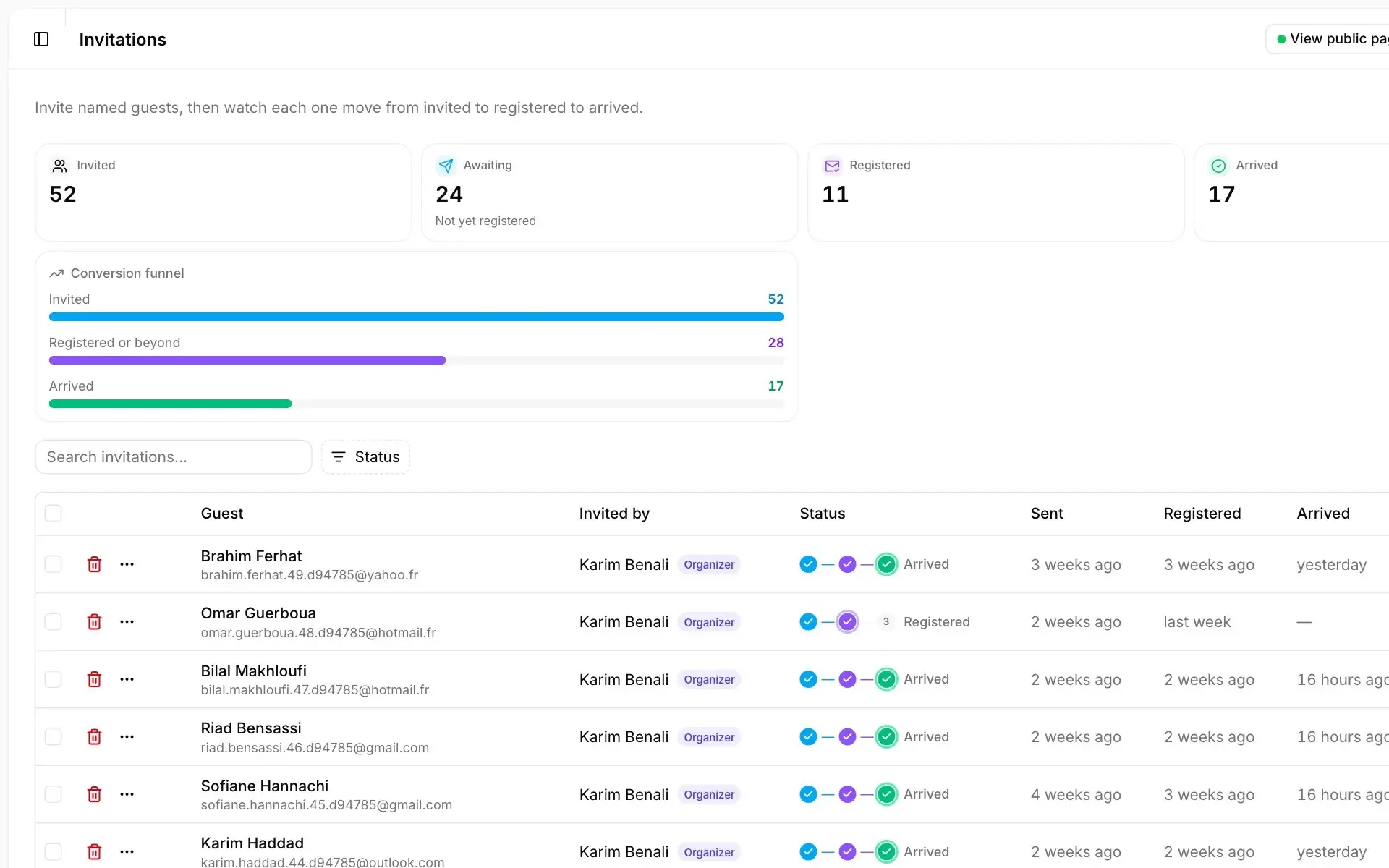
The principle is simple. Every registrant receives their badge and QR code by email, and attendance is recorded when that code is scanned.
At the entrance. The attendee scans the QR code at a self-service kiosk, which prints their badge in a few seconds. Hosts can run the same kiosk in desk mode, by name or with a hand scanner. The set-up is the same as for trade show badge printing without a queue, and the badge itself follows our guide on event badge design and size.
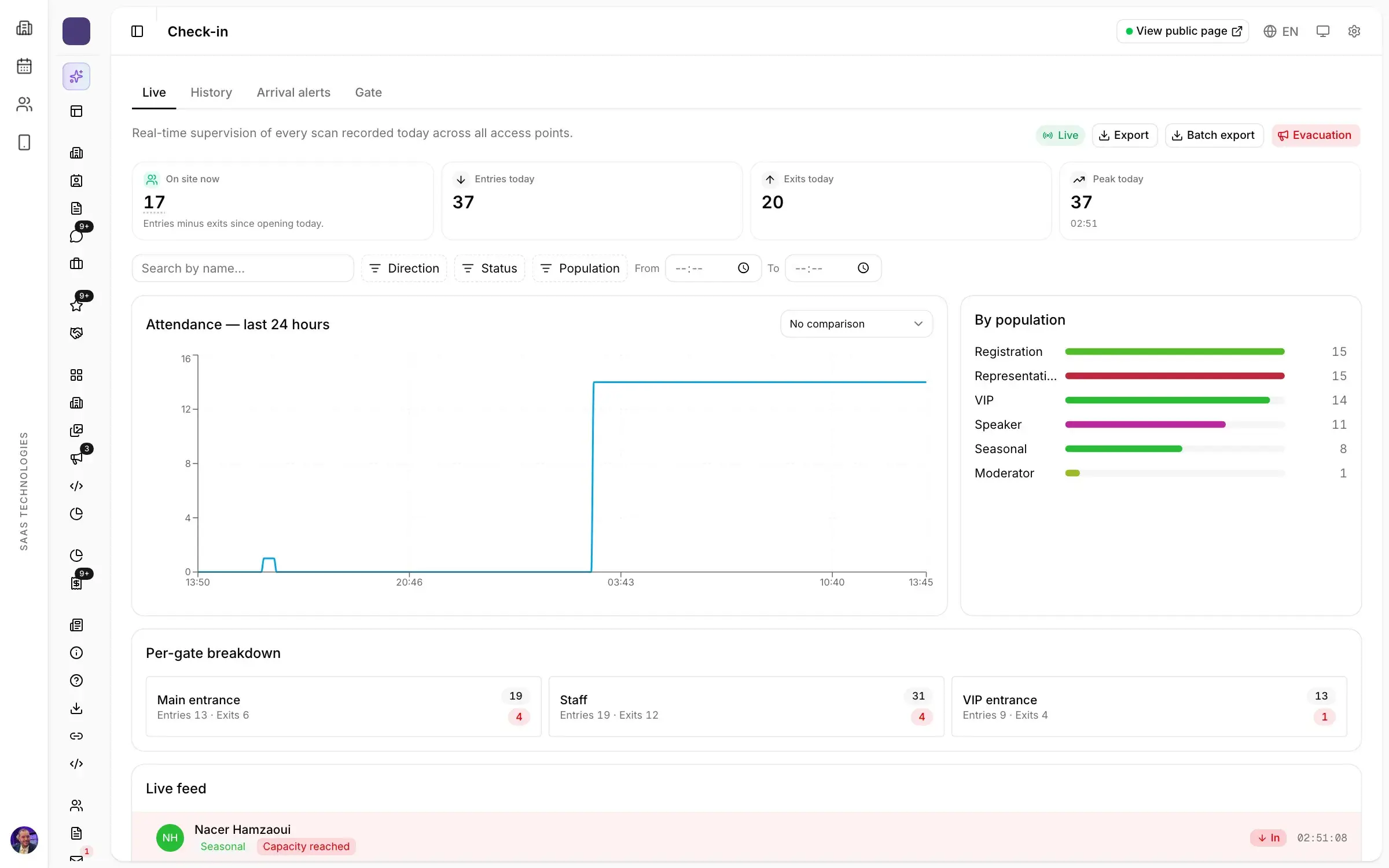
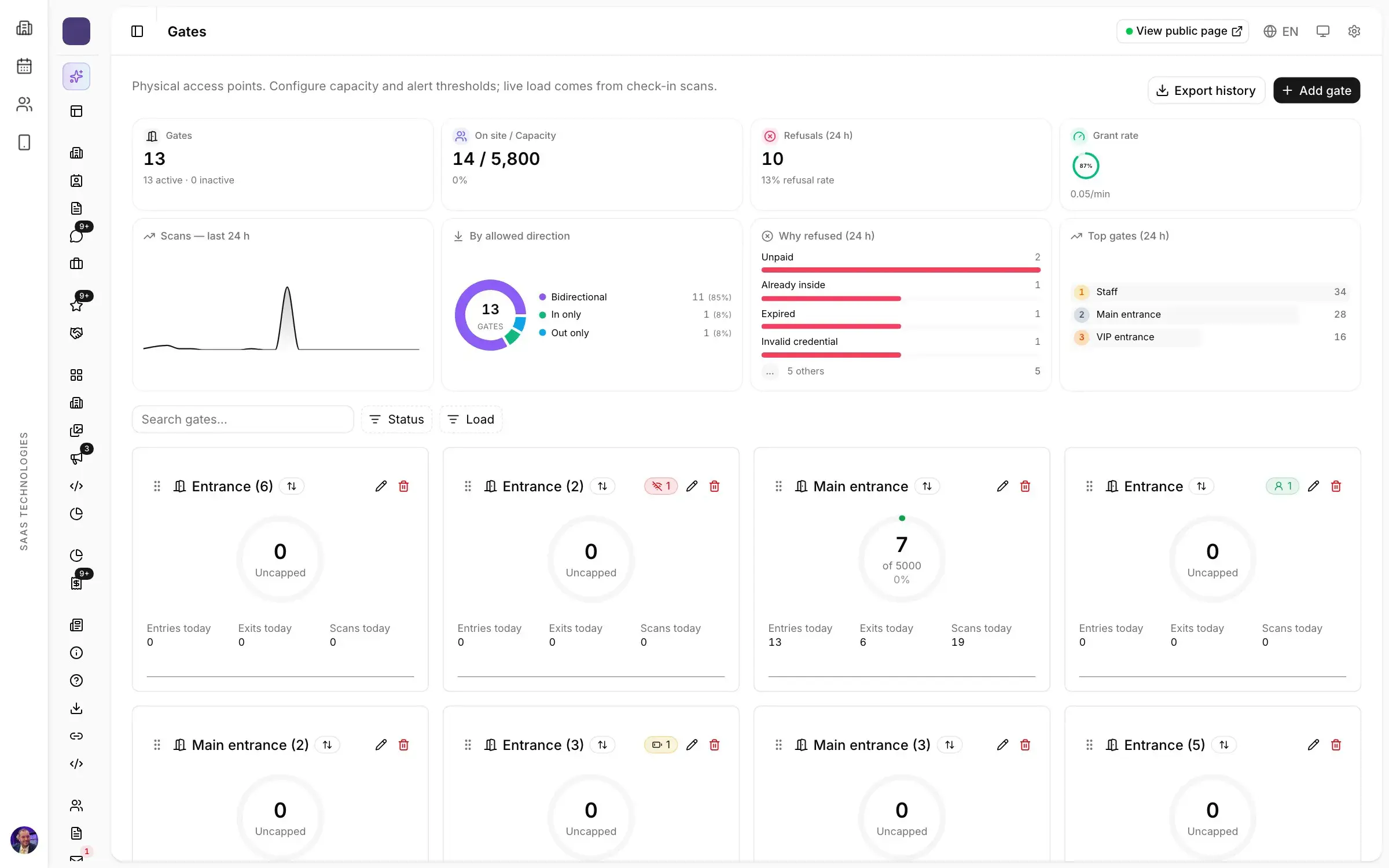
At gates and room doors. Gate agents scan from a phone. Each gate checks the badge against the attendee’s profile and counts entries and exits, zone by zone, so you can see live who is inside, who just arrived and how fast each gate is flowing. A refused badge shows why: expired, wrong zone or capacity reached.
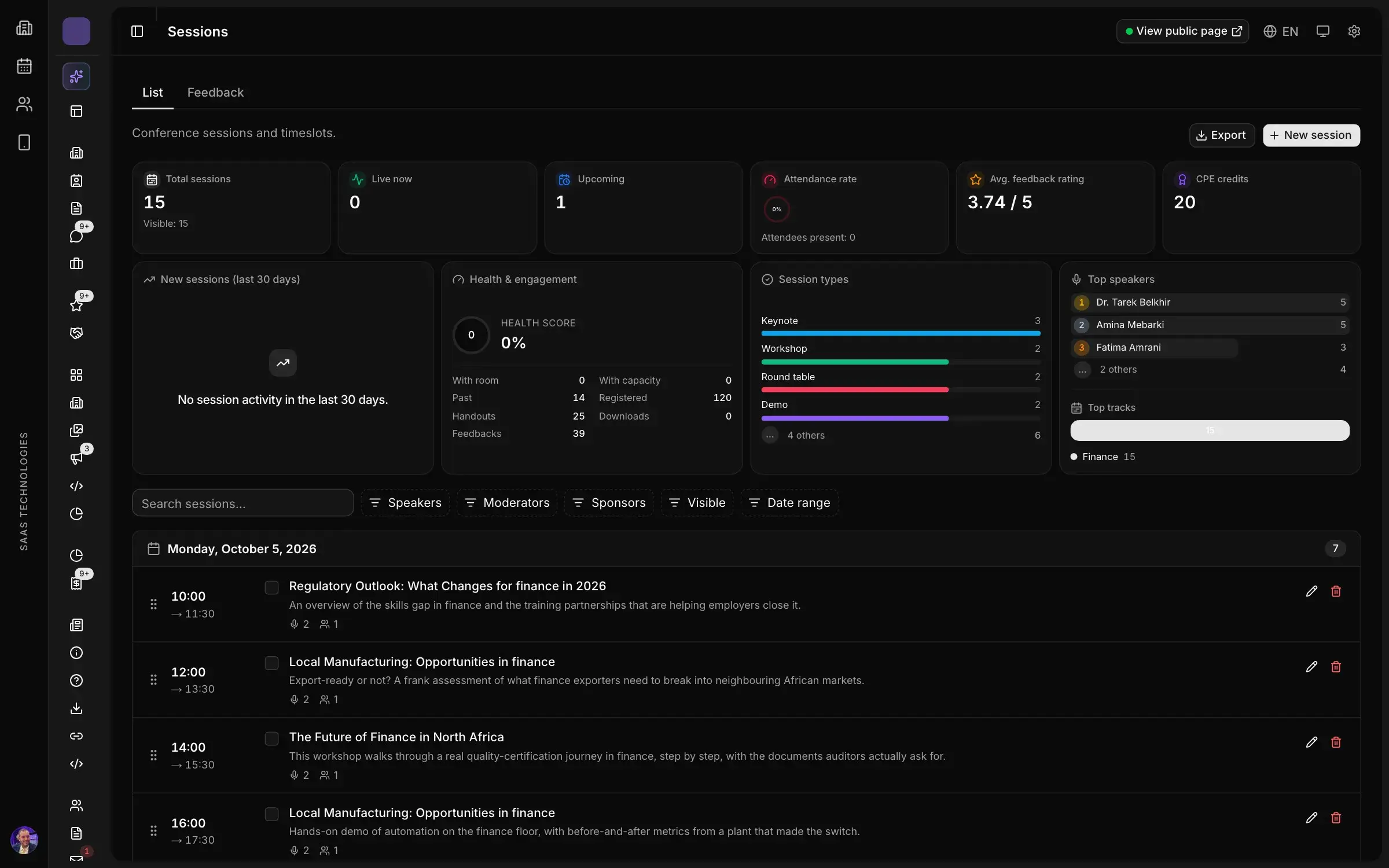
Session by session. Session enrolments, waiting lists and attendance, online or on site, are tracked for every workshop and panel, so you know who attended which session without a sheet in every room.
The result looks like a sign-in sheet, filled in as the day goes on: each row carries the name from the registration record, the category and the time of the scan, and every list exports to a spreadsheet.
From attendance to certificates
Once attendance is recorded, certificates no longer need any cross-checking. Each one is generated from the participant’s attendance, signed by you and shared by link. The signatory, the signature and the artwork are set once, and every certificate follows.
This is often what convinces an organising committee: the day three hundred delegates are waiting for their certificate, nobody wants to reopen the first morning’s sheets. For the rest of the preparation, from the programme to the final certificates, see our guide on how to organize a conference step by step. If officials or delegations attend the opening, their welcome is planned separately: see VIP protocol for official delegations.
After the event: what your attendance list tells you
A reliable attendance list does more than back up certificates:
- Your attendance rate. Registered against attended, by category and by day: that is your event no-show rate, and the first figure to compare from one edition to the next.
- The sessions that filled their room, and the ones that ran half empty, to build the next programme. They belong in your post-show report.
- Two emails, not one. The next morning, a thank-you to attendees and a different message to no-shows: our guide to the thank-you email after a trade show has templates for both.
In short
- A sign-in sheet proves who attended: certificates, reports and follow-up emails all depend on it.
- Pre-print names from your registration list, one page per session or half-day, with no emails or phone numbers.
- Pick the level of detail your certificates will need, not the easiest one on the first morning.
- QR code check-in fills the same list as the day goes on, at the entrance and session by session, and certificates are issued from that attendance.
In Moultaka, the Badges, kiosks & access module prints badges at kiosks, scans at the gates and issues certificates of attendance, and Conferences & engagement tracks attendance session by session. Registrations themselves come in through Registration & visitors, one record per person. To see it on your own event, book a demo.