How to organize a seminar: the steps, a planning checklist, and how it differs from a conference
How to organize a business or training seminar: goal, audience, timeline, agenda, registration, the room, certificates, and a seminar planning checklist.
By Moultaka team
How do you organize a seminar? In six moves: set the goal and the audience, pick the date and the room, build a short agenda around a few speakers, open registration and send invitations, run the day itself, then send certificates and read the feedback. A seminar is a half-day to two-day event for a chosen audience, with few parallel sessions and one clear purpose: to train, to brief, or to get a group working on a problem. That makes it quicker to plan than a conference, usually six to ten weeks, but less forgiving. With forty or a hundred people in one room, a wrong attendee list or a speaker who runs over is visible to everyone. Here are the steps in order, and a seminar planning checklist you can copy.
Seminar, workshop or conference: what is the difference?
The words get mixed up on invitations, and the choice changes how you prepare:
| Seminar | Workshop | Conference | |
|---|---|---|---|
| Purpose | Train, brief, or get a group working | Practise a skill hands-on | Present and debate work, network widely |
| Audience | Chosen: a profession, a team, partners, clients | Small group | Open, often several hundred people |
| Length | Half a day to two days | A few hours | Two to four days |
| Speakers | Invited by the organizer | One or two facilitators | Invited and selected from a call for papers |
| Format | Talks, discussion, breakout groups | Exercises in small groups | Keynotes, parallel tracks, panels |
| Lead time | Six to ten weeks | Two to four weeks | Four to twelve months |
If your event has a call for papers, several tracks and an exhibition next to it, it is a conference: our guide on how to organize a conference covers it. If it is one room, invited speakers, an audience you know and a breakout or two, it is a seminar, and the rest of this page is for you.
How to organize a seminar, step by step
A timeline that works for a one-day business seminar:
| When | What must be done |
|---|---|
| 8 to 6 weeks out | Goal written in one sentence, target audience, date, budget, room booked |
| 6 weeks out | Speakers approached with the topic, the length and the format you expect |
| 5 weeks out | Draft agenda, event page, registration form live |
| 4 weeks out | Invitations sent, one version per audience (members, clients, partners, press) |
| 2 weeks out | Final agenda, speaker slides requested, catering confirmed |
| 1 week out | Reminder to registrants, badges, welcome desk list, technical rehearsal |
| The day | Check-in, attendance, facilitation, questions, feedback |
| 1 to 7 days after | Thank-you email, certificates, slides shared, debrief |
An in-house training seminar follows the same line with one extra constraint: the attendee list is often set by managers. Ask for it early, and keep a few seats for late names.
Start with the goal, not the venue
The habit is to book a hotel meeting room first and fill the day afterwards. Do it the other way round. Write down in one sentence what attendees will know or be able to do when they leave: “our exhibitors know how to prepare their stand”, “regional sales managers understand the new pricing rules”. That sentence picks your speakers, the length and the format: a morning of talks to brief people, a full day with breakouts to train them.
Then the audience. A seminar for one profession, for your members or for the exhibitors of a trade show does not fill up like an open event. It fills by invitation, and every invitee counts.
The seminar agenda
A seminar agenda fits on one page: registration and coffee, a short opening, two or three talks of thirty to forty-five minutes, a break, a breakout session or a panel, then a wrap-up. Leave time for questions after each talk, and make the break longer than you think: it is often where people actually talk to each other.
For the layout itself, with timings, speaking slots and breaks, start from our conference agenda template: the one-day version works for a seminar as it is.
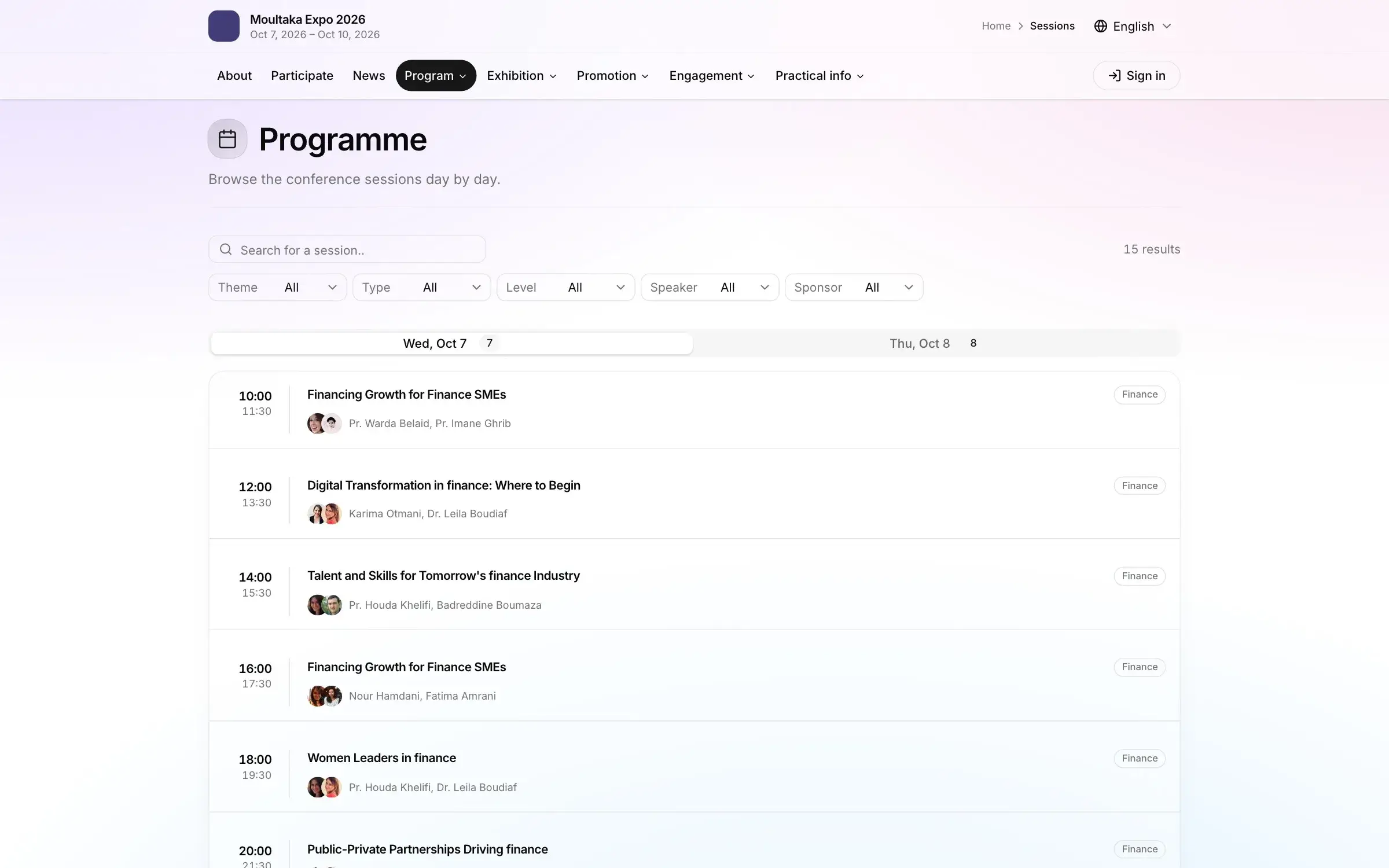
In Moultaka, the agenda is one schedule of sessions, rooms, speakers and formats, published on your event website and in the app as soon as it is saved. A speaker who moves slot the night before is updated everywhere at once, with nothing to reprint. Each speaker has a profile with their submission, bio, sessions and notes.
Registration and invitations
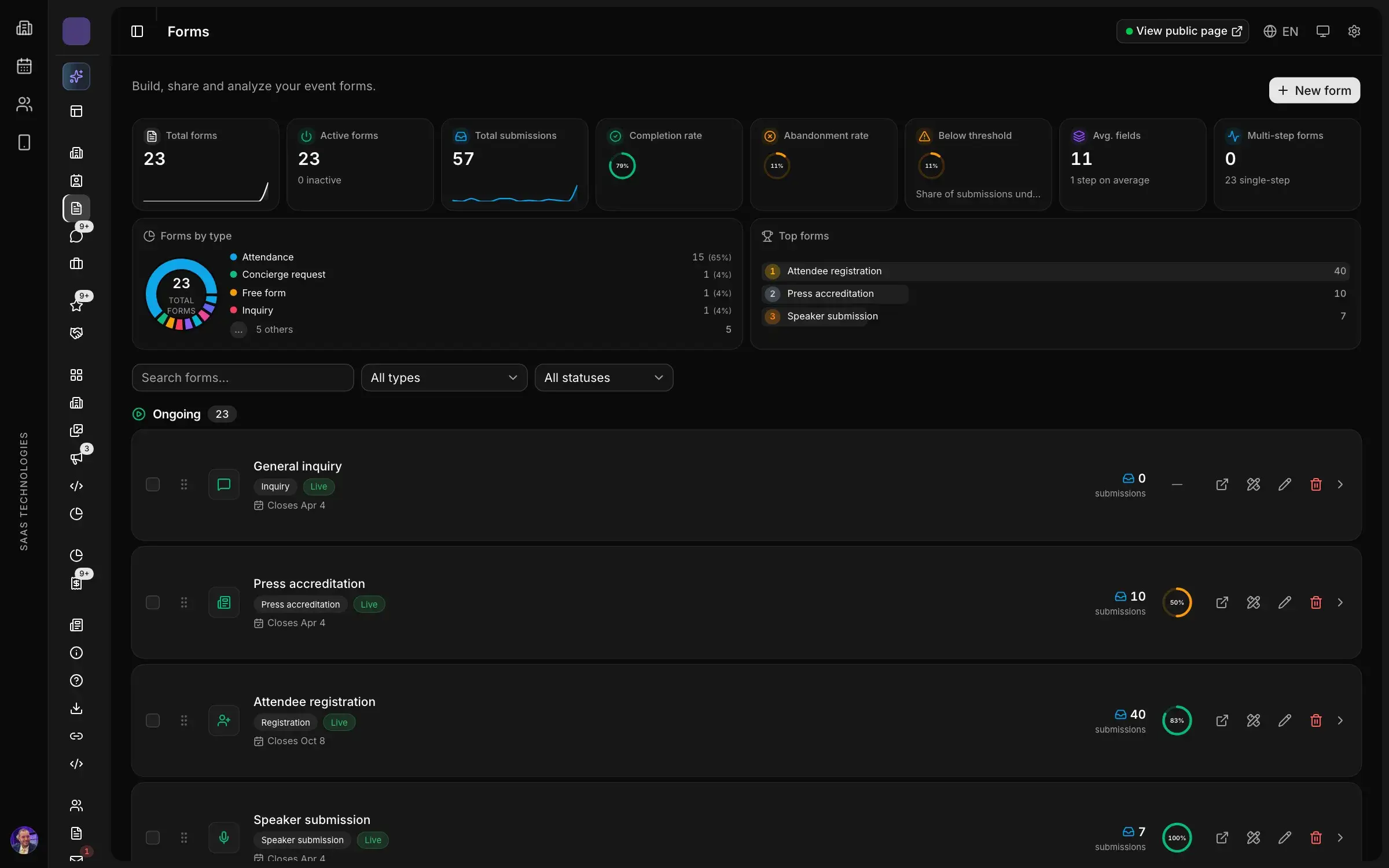
Even for sixty people, a registration form beats a list built from email replies. It collects the same details for everyone (name, organization, job title, email, phone, chosen breakout), shows who stopped halfway, and avoids duplicates. If you collect personal data from people in the EU, the GDPR asks you to say how it will be used: one clear line under the form does it.
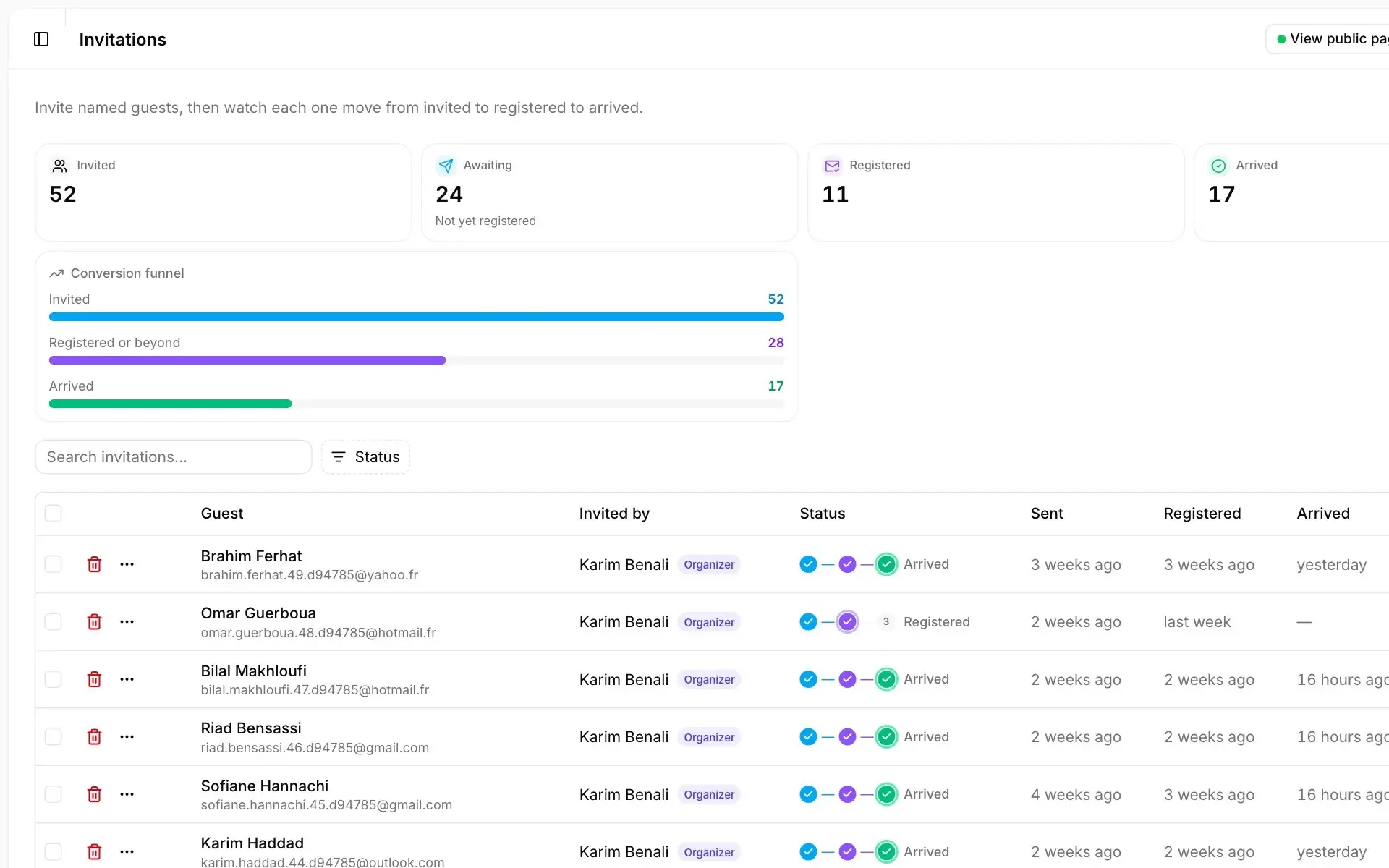
In Moultaka, you build the form without a developer, add conditions, and track completion and drop-off. A second registration from the same email for the same type is recognised, so each person is counted once. Named guests are followed from invitation to registration to arrival, with the name of whoever invited them. For the wording, our event invitation email templates give you a start.
Send a reminder a week before, and a short message the day before with the address, the check-in time and the badge. In Moultaka these leave on their own: sequences are triggered by a registration, a check-in or a date, by email, WhatsApp or push notification.
The room, check-in and attendance
The room matters more for a seminar than for a trade show: everyone spends the whole day in it. Check the layout (theatre style for talks, cabaret tables for breakouts), the sound, whether the screen can be read from the back row, and a second room if a breakout runs in parallel.
Check-in sets the tone. A table with a printed list and someone searching for names creates a queue at 8:45. It works better when every registrant gets a badge by email as soon as they sign up, the QR code is scanned at the door, and attendance is taken per session. That attendance, not the registration list, is what your certificates should be based on. If you stay on paper, our event sign-in sheet template lists the columns to include and when to have people sign.
Running the day: speakers, questions, breakouts
A good seminar is one where the room talks. Three things help:
- a facilitator who keeps time, introduces each speaker and keeps questions coming; the role is covered in how to moderate a panel discussion;
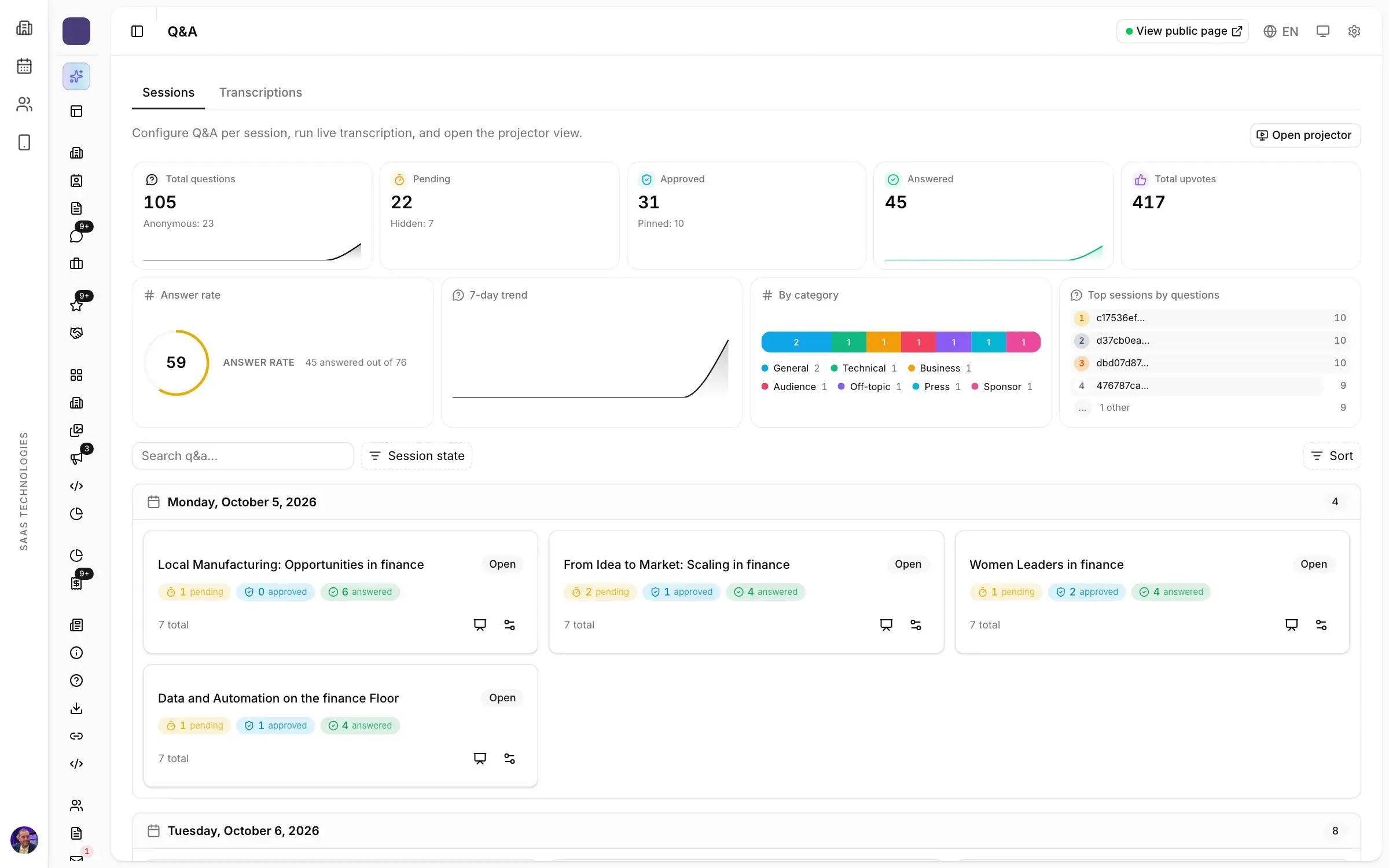
- questions sent from phones: attendees type them, anonymously if they wish, upvote each other’s, and the speaker reads them on screen. Quieter people take part, and the best question goes first;
- a live poll or two to open a breakout or check what landed, with results shown on the room’s screen as votes come in.
In Moultaka, moderators approve, pin and mark questions as answered, and polls are prepared in advance, then launched, paused and closed from one console.
After the seminar: certificates, feedback, thank-yous
For a training seminar, the certificate of attendance is often what the attendee must hand to their employer. Send it quickly, and only to those who came. In Moultaka, a certificate is generated for each attendee from their attendance, signed by you, and shared by link.
The next day, send a thank-you with the speakers’ slides and a short survey. Our pages on the thank-you email after an event and post-event survey questions give you wording and questions. Every session gets its ratings and comments, so you know which speaker to invite back.
Seminar planning checklist
| Step | Done |
|---|---|
| Goal written in one sentence, audience defined | ☐ |
| Date, budget and room booked | ☐ |
| Speakers confirmed in writing (topic, length, format) | ☐ |
| Draft agenda published | ☐ |
| Registration form live, with a line on personal data | ☐ |
| Invitations sent, one version per audience | ☐ |
| Final agenda and slides received | ☐ |
| Catering, sound, screen and breakout room confirmed | ☐ |
| One-week reminder and day-before message sent | ☐ |
| Badges ready, check-in and attendance planned | ☐ |
| Questions and polls set up per session | ☐ |
| Thank-you, slides and survey sent the next day | ☐ |
| Certificates sent to attendees who came | ☐ |
| Debrief: attendance, session ratings, speakers to invite back | ☐ |
Common mistakes
- An overloaded agenda: five talks in a morning, and no time left for questions.
- Speakers without a brief: with no written length or topic, everyone runs over.
- A hand-kept attendee list: duplicates, misspelt names, badges reprinted on the morning.
- Certificates sent from the registration list: no-shows get one, walk-ins do not.
- No debrief: the next edition starts from scratch.
Your seminar in Moultaka
Agenda, speakers, questions, polls and certificates, in the same workspace as registration and check-in. See the Conferences & engagement and Registration pages, and to see your next seminar in it, book a demo.