Trade show signage: ideas and a wayfinding plan, from the car park to the stand
Trade show signage ideas by family: approach, entrance plan, event wayfinding signage, stand fascia signs and conference rooms, with a print schedule.
By Moultaka team
Trade show signage has one job: to answer the question visitors ask a hundred times an hour, “where is it?”. A visitor has to find the entrance, their badge, the right hall and then the stand they came for, without asking anyone. An exhibitor has to find their space on build-up day and see their own name, spelled correctly, above it. That is why good signage ideas start with a plan, not a design: five families of signs, each with its own audience, its own supplier and its own print deadline. Here is what each family should say, how event wayfinding signage works inside the halls, a print schedule, and the mistakes everyone notices on the first morning.
Trade show signage ideas, family by family
Mixing the families up is how you learn, the day before opening, that one set of signs was never ordered from anyone.
| Family | Where | What it says | Who prepares it |
|---|---|---|---|
| Approach | Access roads, car parks, the venue gate | The show’s name, the visitor entrance, the exhibitor and deliveries entrance | The organizer, with the venue |
| Arrival | Entrance hall, registration desks, kiosks | The floor plan, accreditation, badge collection by attendee type | The organizer |
| Wayfinding | Junctions, hall entrances, aisles | Halls, aisle numbers, rooms, services | The organizer |
| Stand fascia signs | The header of each booth | The exhibitor’s trading name and stand number | The organizer or the stand builder, from the exhibitor’s text |
| Rooms and programme | Room doors, the stage, the meeting area | The room’s name, today’s programme, the session under way | The organizer |
Sponsor signage sits on top of these, and its placement is part of what sponsors paid for: decide it with your sponsorship fulfilment plan, not on installation day.
Services matter as much as stands. Toilets, catering, prayer rooms, first aid, cloakroom, emergency exits, the meeting point: nobody notices these signs until the moment they need one.
The floor plan at the entrance
The large plan at the entrance is the most-read sign of the show. It is rarely drawn wrong; it is often read wrong.
- Orient it the way the visitor is facing. What is in front of them should be at the top of the plan. A “north up” plan mounted facing south reads backwards.
- A “You are here” marker on every copy, in the right place. A plan copied from one entrance to the next without moving the marker sends everyone the wrong way.
- One numbering system everywhere. A letter per hall or zone and a number per stand (A58, C43…), identical on the plan, the catalogue, the website, the app, staff badges and the fascia signs. It is the same rule as in our guide to trade show floor plan layout: a number changed after sales open breaks every one of those at once.
- An A to Z list of exhibitors, next to the plan, with stand numbers. It is what most visitors look for first.
At a large exhibition centre, where visitors pass a gate, cross a car park and then choose between several halls, put a plan at the door of every hall, not only at the main entrance.
Event wayfinding signage inside the halls
Wayfinding signs go where people hesitate: every aisle junction, every hall entrance, every staircase.
- Hang them when you can. A sign at eye level disappears behind the crowd by 11 a.m.; a sign hung above the aisle can be seen from the back of the hall.
- Few words, clear pictograms. A hall name, an aisle number, an arrow. Services read better as a familiar pictogram than as a sentence.
- The show’s languages. For an international show, English plus the host country’s language, in the same order on every sign.
- The same names everywhere. If the programme calls it “Room Atlas”, its door does not say “Room 2”.
Conference signage follows the same logic: the room name on the door, today’s sessions beside it, and an arrow from the main hall to any room on another floor.
Stand fascia signs: where it goes wrong
The fascia sign is the most numerous sign at the show (one per stand), and the only one whose text comes from someone else. It is also where most errors happen: a typo in the trading name, an acronym instead of the company name, a late exhibitor whose sign was never ordered.
Four rules cover most of it:
- Set the formats before you ask for the text. Header size, background, font, maximum number of characters: an exhibitor who knows they have 24 characters will not send their full legal name. Put it in the exhibitor manual, with the deadline.
- Have the text typed, not emailed. A trading name typed by the exhibitor into a limited field arrives clean; the same name copied from an email arrives with mistakes.
- Approve every text before it goes to the printer. Capitals, accents, acronyms, a second script: this is the last chance to fix it without reprinting.
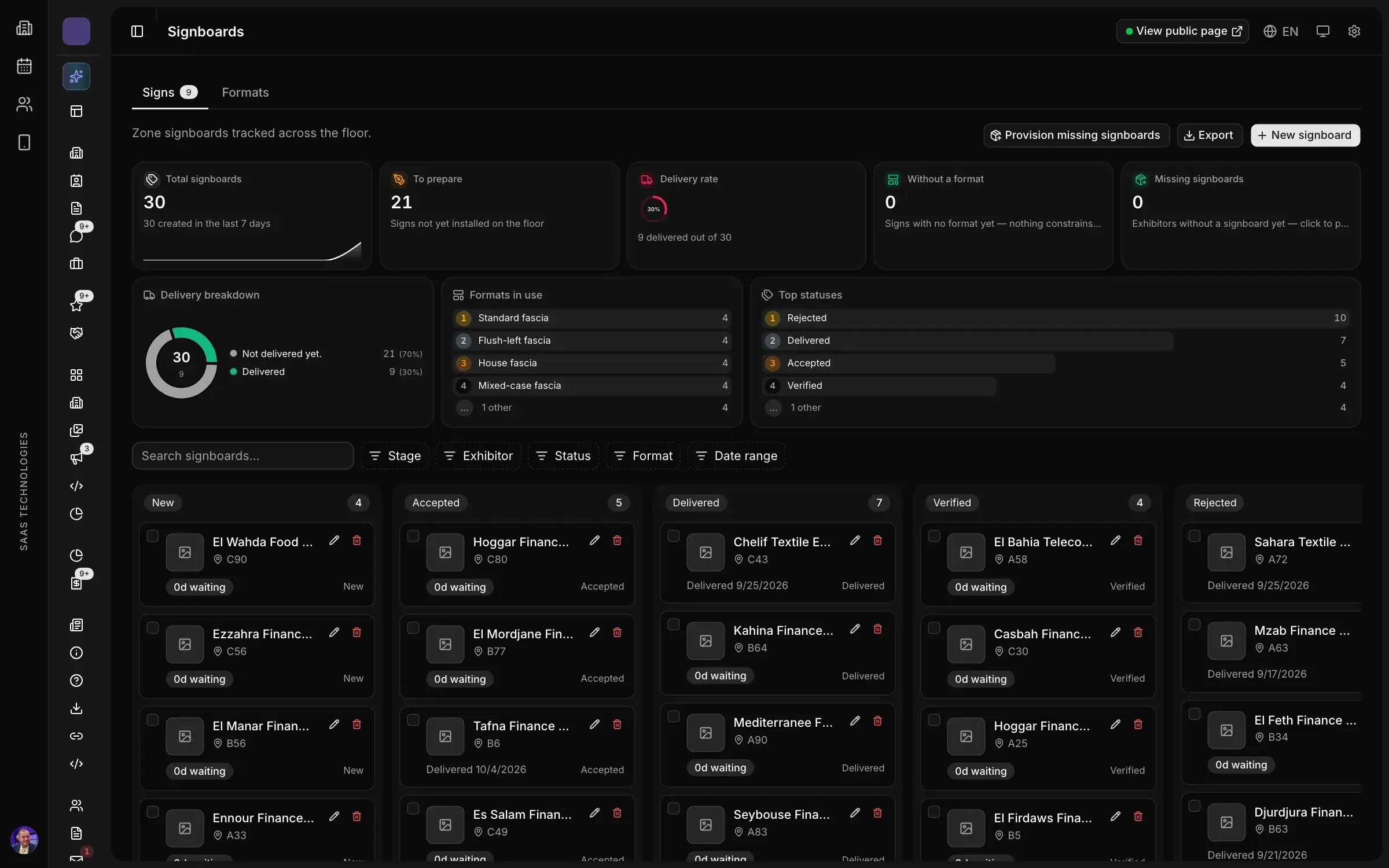
- Find the stands with no sign. Late signings, shared stands, exhibitors who never replied: list the sold stands that have no text, and order a default sign for those, in the name on their contract.
On build-up day, walk the halls with the list: each sign delivered to the right stand, then checked. A sign hung on the neighbour’s stand is seen at opening, by visitors.
A print schedule for trade show signage
Signs are not all ordered at once. Anything that does not depend on exhibitors can go early; fascia signs and the final plan wait for the last sales.
| When | What must be ready |
|---|---|
| 60 days out | The list of signs by family, quantities, supplier, budget |
| 45 days out | Fascia formats sent to exhibitors with the manual; the signage design guide |
| 30 days out | Approach, arrival and service signs ordered; sponsor placements fixed |
| 21 days out | Fascia text deadline; hall layout frozen |
| 14 days out | Fascia texts approved and sent to the printer; default signs for stands with no text |
| 7 days out | Floor plan and exhibitor list printed; room signs and daily programmes |
| 2 days to 1 day out | Installation, a stand-by-stand check of fascia signs, fixes |
If your show has no master timeline yet, start there: our trade show planning timeline gives it month by month, and signage slots into it. If you hand production to a contractor, quantities and installation deadlines belong in your event management RFP.
What the visitor carries in their pocket
Printed signs are not going away, but they are no longer alone. A visitor who received their badge by email often has the show on their phone already.
- The floor plan in the app, with search and directions to every stand. It answers the question no sign can: “where is that particular exhibitor?”.
- The exhibitor directory, filled from the exhibitor portal with nothing to copy: just check that the name listed is the one on the fascia.
- QR codes on totems and arrival signs, opening the plan or the show’s page.
Paper and phone must say the same thing: the same numbering, the same hall and room names. For what a show app needs beyond the plan, see our guide to the trade show event app.
Mistakes everyone sees on the first morning
- No “exhibitor entrance” sign. Delivery trucks follow visitors to the main gate on build-up day.
- Badge collection not signed by attendee type. Visitors, exhibitors, press and guests end up in one queue. Trade show badge printing without a queue starts with a sign that says where to go.
- Conference rooms nobody can find. A room upstairs with no arrow from the hall stays empty at panel time.
- The official route left unmarked. When a delegation tours the show, its route must be signed, as our guide to VIP protocol at a trade show explains.
- Different names on different media. The programme, the room door and the app must use the same name.
Summary
- Five families of signs: approach, arrival, wayfinding, stand fascia signs, rooms. Each has its own supplier and deadline.
- The entrance plan faces the way the visitor looks, with an accurate “You are here” and an exhibitor list.
- Fascia signs need formats set in advance, texts typed by exhibitors and approved, and a default sign for every stand without one.
- Print and app share one numbering system and the same names.
In Moultaka, the Exhibitors & operations module tracks every fascia sign: exhibitors type their trading name once, you approve it, the printer receives a clean list, and sign formats (fascia sizes, backgrounds, text limits) are defined once. Badges, kiosks & access provides print-ready designs for badge labels, totems and stand signage, and the event app for B2B trade shows gives visitors the floor plan with directions to every stand. The plan itself is drawn in the studio of Stand sales & CRM. To see it on your own show, book a demo.